

A time clock for the tablet by your door.
Staff walk up, tap their name, enter their PIN and start the shift. No login on a personal phone, no paper sheet. Every punch lands on the timesheet in your ekoni schedule.
Not in the App Store yet. Early access businesses get it first.
We email you a setup link the day your spot opens.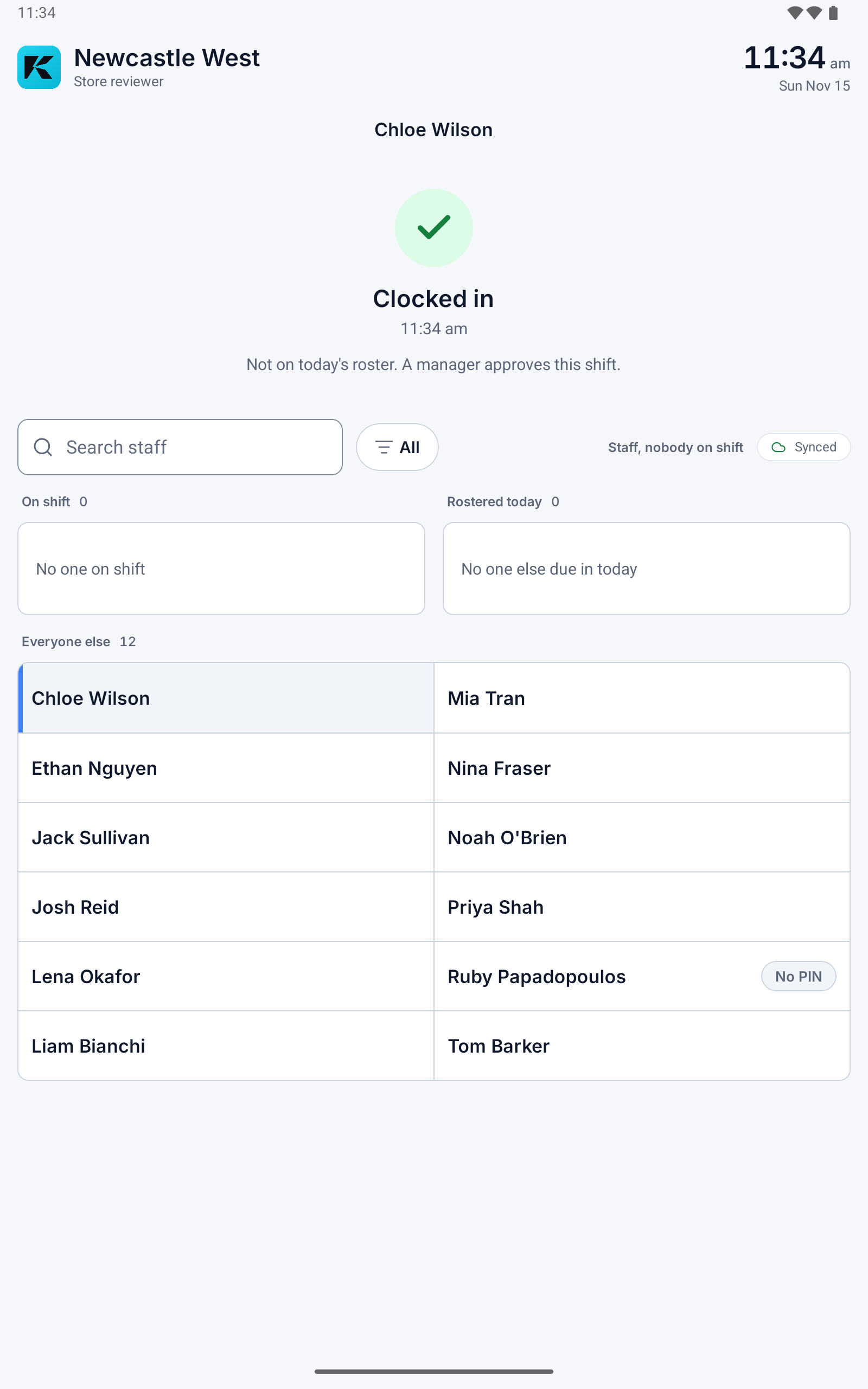
Start, break and finish in a few taps.
One job, big buttons, built for a busy counter.
- Start and end the shift, and start and end breaks
- A PIN for each staff member
- A selfie at each punch when you switch it on
- Works offline: punches save on the tablet and sync when the connection is back
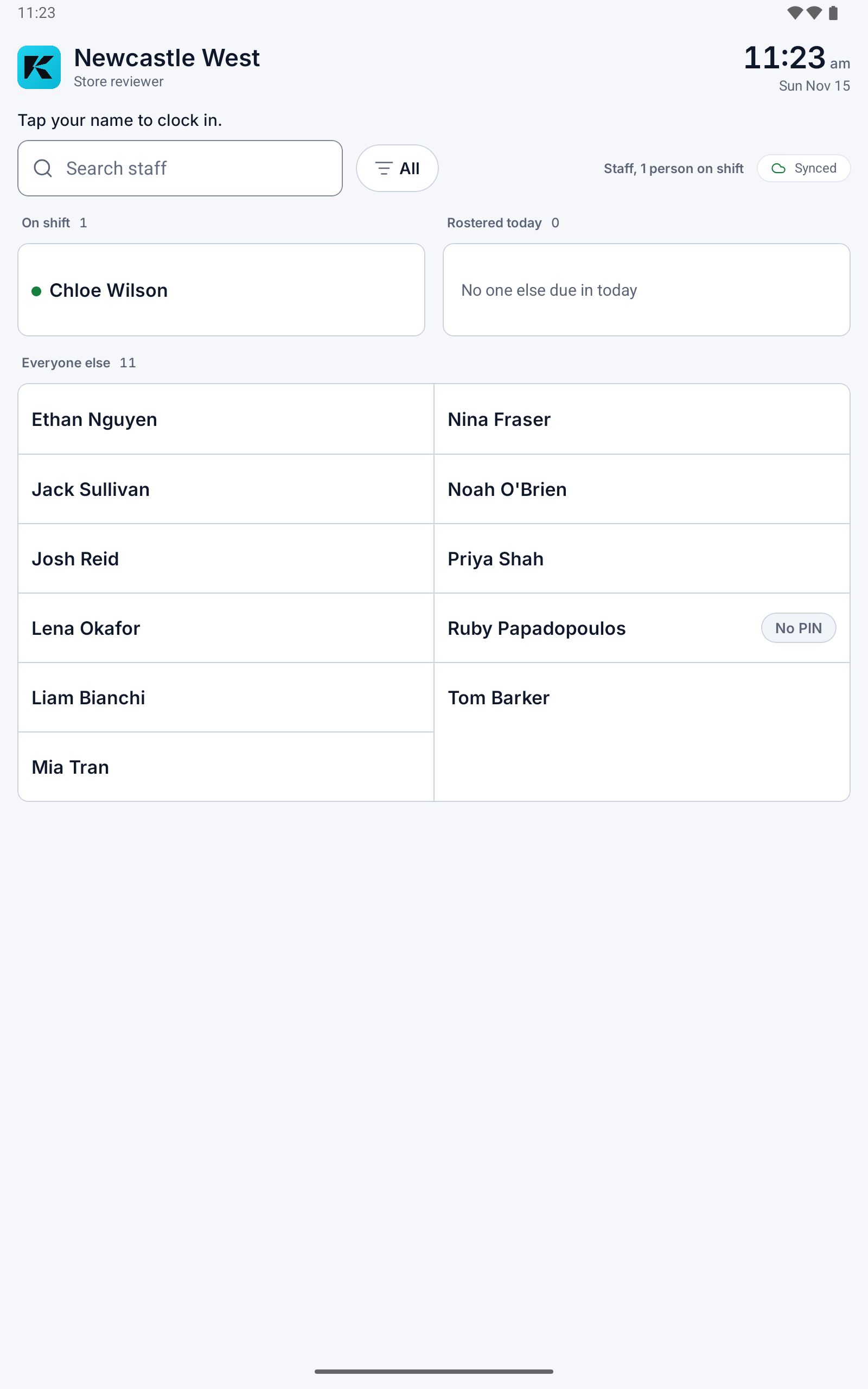
Paired to one store, set up once.
An owner or manager pairs the tablet to a location with a code. Staff names come down from the roster, so there is nothing to type.
- Tied to one location and one device
- Unpair a tablet from the web at any time
- Someone not on today's roster can still clock in, and a manager approves the shift
Hours that match the roster.
Clock shares the attendance record with ekoni Flow, so the hours show up on the timesheet next to the shift that was published.
- Managers approve hours against the shifts they published
- Approved timesheets export to Xero or a payroll file
Before you ask
?Do staff need their own phone to clock in?
No. ekoni Clock runs on one shared tablet at the store. Staff tap their name and enter their PIN. Staff who prefer their own phone can clock in from ekoni Flow instead, geofenced to your location, when you switch that on.
?What happens if the internet drops?
Punches save on the tablet and sync when the connection is back.
?Does ekoni Clock need an ekoni account?
Yes. It works with the schedule in ekoni, set up by the owner. See pricing for what each plan includes.
?Does it use face recognition?
No. When you switch the selfie on, a photo is kept with each punch for a manager to look at. Nothing is matched against a face.
Put a time clock by the door.
We email you a setup link the day your spot opens.